Initial situation:
SEPPmail Secure E-Mail Gateway is to be operated in conjunction with Microsoft M365 / Exchange Online environments with multi-tenant capability.
Solution:
For this, certificate-based connectors (CBC) must be used. This prevents email loops from occurring between the respective managed domains of different clients (customers). The Exchange Online Outbound Connectors must be uniquely identifiable in a multi-tenant scenario.
For this purpose, an individual SSL certificate must be configured for each managed domain. This SSL certificate is used for the configuration of the Exchange Online Outbound Connector.
The SSL certificate must be issued to the domain name of the respective managed domain in the CN attribute. The use of wildcard certificates is possible.
If several domains in the same Microsoft tenant are to share the SEPPmail Connector, the same SSL certificate must be imported in all managed domains.
Configuration changes in Exchange Online
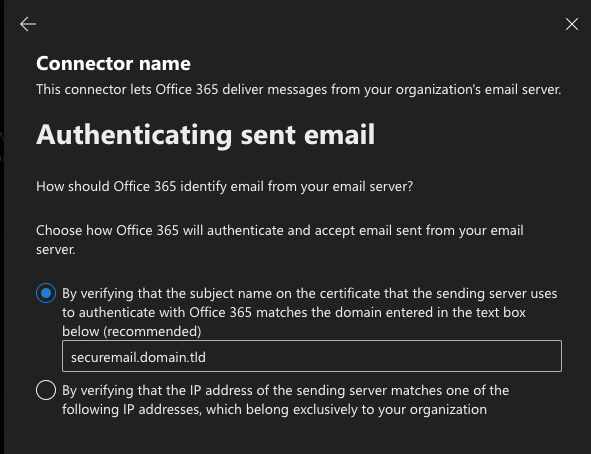
Exchange Online >> Mail Flow >> Connectors >> [SEPPmail] Appliance -> ExchangeOnline] >> How to identify email sent from your email server >> Edit sent email identity
At the first entry "By verifying that the the subject name on the certificate..." enter the *.domain.tld
Example with CN=securemail.domain.tld
Configure certificate based connectors (CBC) with the SEPPmail365 powershell module
The following instructions apply to all on-premises SEPPmail Secure E-Mail Gateways with parallel connection to Exchange Online.
Example:
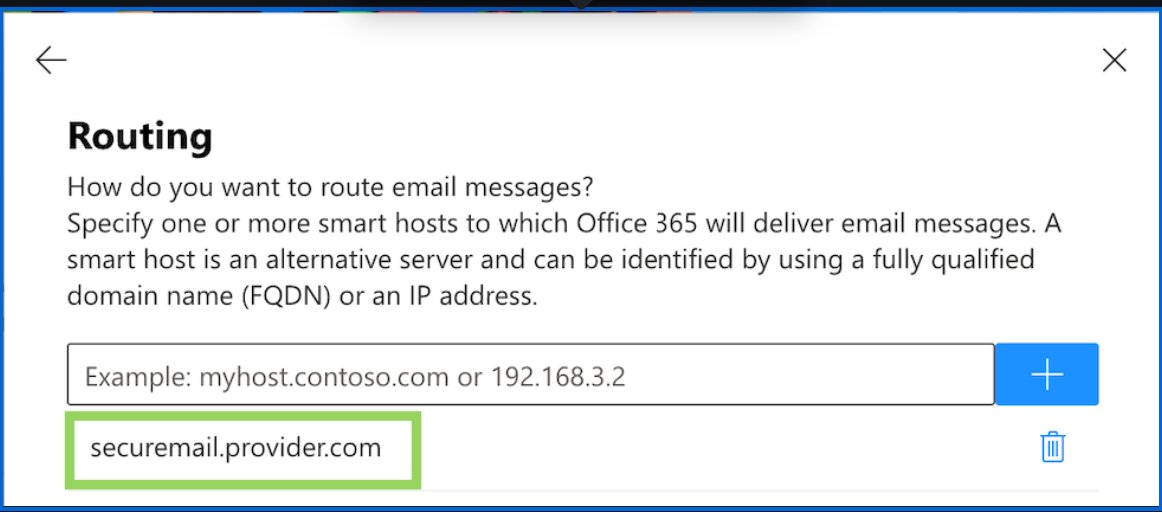
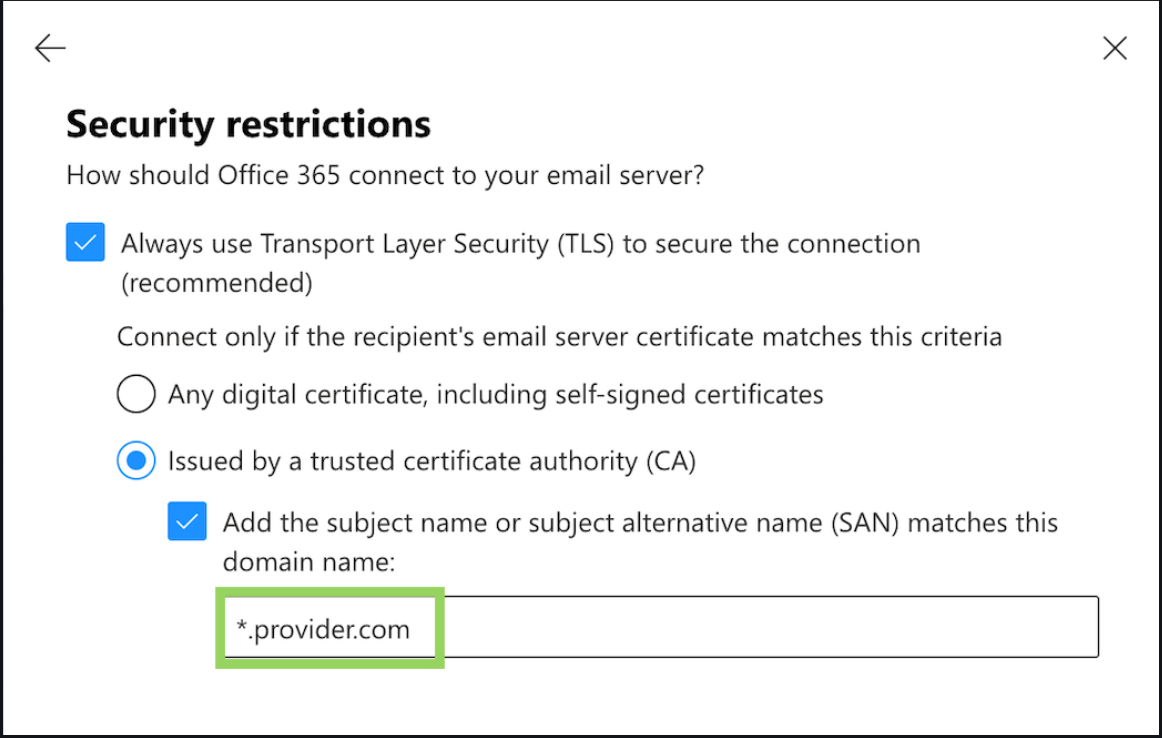
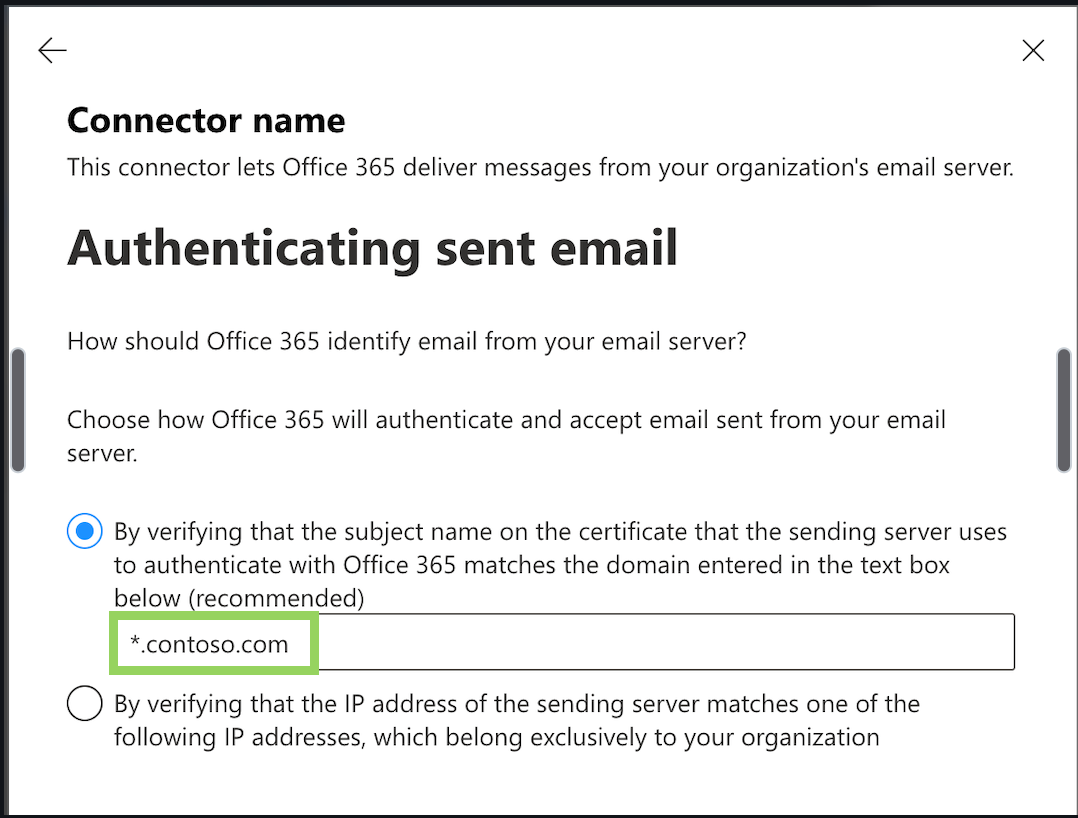
PS > New-SM365Connectors -SEPPmailFQDN 'securemail.provider.com' -TLSCertificateName '*.provider.com' -CBCcertName '*.contoso.com'
Explanation of Powershell Parameters
-SEPPmailFQDN
The value of the parameter -SEPPmailFQDN will set the smart host to which Office 365 will deliver email messages. This has to be the SEPPmail Secure E-Mail Gateway public hostname (DNS A-Record). IP-addresses are not supported.
-TLSCertificateName
The value of the parameter -TLSCertificateName has to match the global ssl certificate of the SEPPmail Secure E-Mail Gateway. Either the subject name (CN) or subject alternative name (SAN) has to match the SEPPmail Secure E-Mail Gateway public hostname. The global ssl certificate can be configured under SSL.
This ssl certificate has to meet the following criteria:
•The certificate MUST not be expired or revoked
•subject-name (CN) or subject alternative name (SAN) MUST match the SEPPmail Secure E-Mail Gateway public hostname
•MUST be checkable for revocation status (CRL or OCSP)
•MUST be signed by a trusted certificate authority
If one of the above mentioned criteria is not fulfilled no e-mail messages can be delivered from Exchange online to the SEPPmail Secure E-Mail Gateway.
-CBCcertName
The value of the parameter -CBCcertName has to match the subject-name on the M365 tenant specific certificate.
If multiple domains are routed through the inbound connector, all managed domains have to be configured with the same certificate. The certificate subject-name has to include the domain name of one domain, usually the default domain in the M365 tenant. The client-specific SSL certificate for the Inbound Connector can be configured under Add / Edit Managed Domain > SSL certificate.
This SSL certificate must meet the following criteria:
•The certificate must not be expired or revoked.
•The subject name (CN) must match a domain in the M365 tenant. Wildcard certificates are possible.
•The revocation status must be verifiable (CRL or OCSP).
•The certificate must be signed by a trusted certification authority.
Further information on the keyword "Exchange Online Tenant attribution" in the MS365 Documentation
Office 365 message attribution
Updated requirements for smtp relay through Exchange Online