The following entries are required in the domain settings of the seppmail.cloud:
The required forward server is usually communicated by mimecast and is
<region>-smtp-inbound-1.mimecast.com
or
<region>-smtp-inbound-2.mimecast.com
whereby <region> is analog to the table under Email Security Cloud Gateway - Implementing SPF for Outbound Email.
The servers for the de region would therefore be as follows, for example:
de-smtp-inbound-1.mimecast.com
de-smtp-inbound-2.mimecast.com
seppmail.cloud recognises from the entry that a mimecast connection is present and will use the correct server in each case based on the detected email direction.
The Permitted IP addresses to be entered differ depending on the region and can be determined from the table of required SPF entries under Email Security Cloud Gateway - Implementing SPF for Outbound Email.
To do this, the entry from ‘include:’ of the SPF entry of the respective region must be determined as follows, for example:
dig <region>._netblocks.mimecast.com TXT
For example for Germany:
$ dig de._netblocks.mimecast.com TXT
; <<>> DiG 9.11.9 <<>> de._netblocks.mimecast.com TXT
;; global options: +cmd
;; Got answer:
;; ->>HEADER<<- opcode: QUERY, status: NOERROR, id: 37133
;; flags: qr rd ra; QUERY: 1, ANSWER: 1, AUTHORITY: 0, ADDITIONAL: 1
;; OPT PSEUDOSECTION:
; EDNS: version: 0, flags:; udp: 1232
;; QUESTION SECTION:
;de._netblocks.mimecast.com. IN TXT
;; ANSWER SECTION:
de._netblocks.mimecast.com. 142 IN TXT "v=spf1 ip4:51.163.158.0/24 ip4:194.104.109.0/24 ip4:194.104.111.0/24 ip4:194.104.110.21/32 ip4:194.104.110.240/28 ip4:62.140.10.21/32 ip4:62.140.7.0/24 ip4:194.104.108.240/29 ip4:194.104.108.21/32 ~all"
;; Query time: 56 msec
;; SERVER: xxx.xxx.xxx.xxx#53(xxx.xxx.xxx.xxx)
;; WHEN: Di Dez 17 14:14:54 CET 2024
;; MSG SIZE rcvd: 269
For the de region, the IPs to be entered would therefore be as follows:
51.163.158.0/24
194.104.109.0/24
194.104.111.0/24
194.104.110.21/32
194.104.110.240/28
62.140.10.21/32
62.140.7.0/24
194.104.108.240/29
194.104.108.21/32
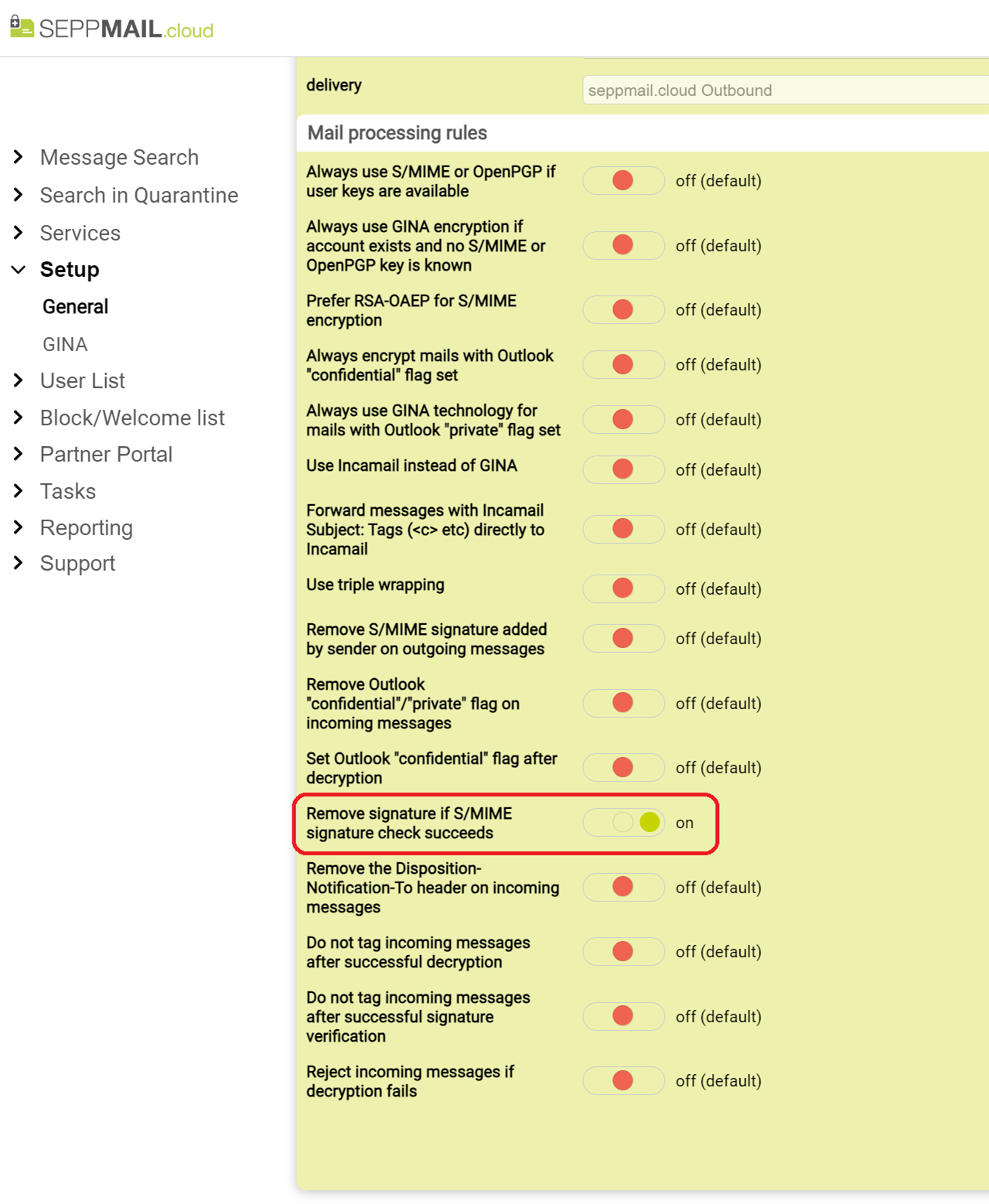
Furthermore, in the "Mail processing rules" the option "Remove signature if S/MIME signature check succeeds" must be enabled. This is necessary because after the S/MIME signature has been checked by Proofpoint, the email is modified in the course of the checks to be carried out and the signature would thus be destroyed. For the recipient, the keyword [signed OK] in the case of a valid signature or [signed INVALID] in the case of an invalid signature indicates that the email was originally signed by S/MIME.